The problem: contacts are growing, but results aren't
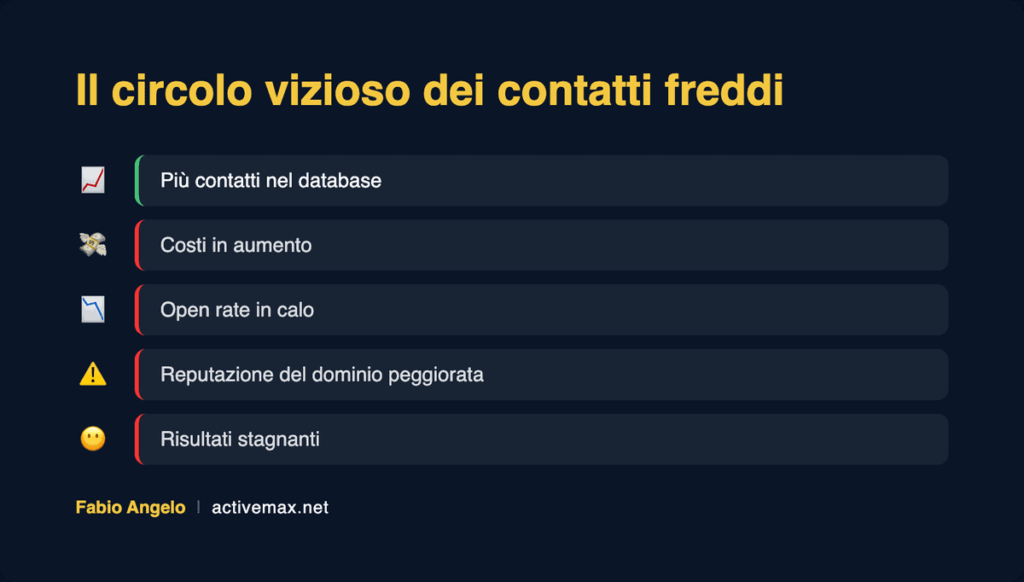
If you've been managing an ActiveCampaign account for a while, sooner or later you'll face a classic problem: the database grows, costs increase, but the results don't follow.
Contacts are increasing, and with them, costs. You keep sending communications hoping that these new potential clients will finally pay attention to you, but they remain just that: potential.
Meanwhile, the price of your ActiveCampaign account increases because it's directly proportional to the number of contacts you manage. Your open rate drops because the number of cold contacts continues to grow. And perhaps your sales team spends more and more time chasing people who don't even remember who you are anymore.
Before you are two possibilities.
The first is to develop a serious, clear, and replicable cold lead management strategy that makes it acceptable to pay the price to keep them in the database. The first thing to do in this case is to stop sending them emails.
The second is to accept that not everyone is ready to become your customer, define rules that automatically identify these contacts, and delete them from your ActiveCampaign account.
Please note: deleting these contacts doesn't mean you'll stop benefiting from them. You can save them and use them as a custom or lookalike audience on Meta Ads, or re-import them in the future when you have something truly new to say.
If you want to understand which of the two paths is the right one for your situation, book your free call with me now., click here.
Why it's worthwhile to delete cold contacts
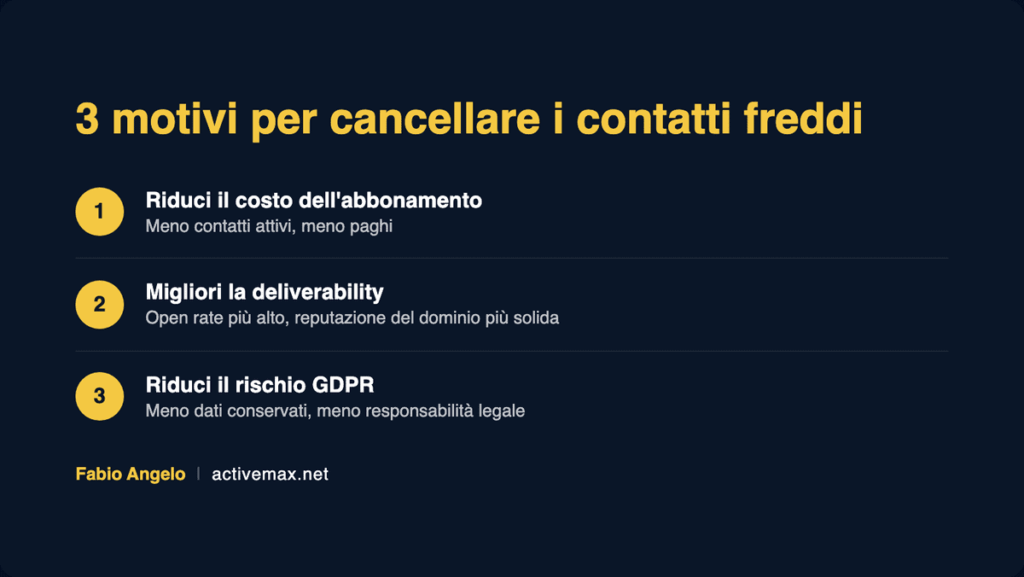
Reduce the cost of your ActiveCampaign subscription
Moving from 1,000 to 2,500 active contacts means doubling your subscription cost. Moving from 10,000 to 15,000 contacts means seeing it increase by 50%. But the rule also works the other way around: fewer active contacts, less you pay.
2. Improve your domain's deliverability and reputation
Let's assume you have 1,000 contacts to whom you send a newsletter every week, and out of these 1,000, only 250 open your email, with a rather constant number. Let's now assume that everyone uses Gmail.
Perhaps you don't know it, but if you send 1,000 emails and 750 people never open your mail, Google notices and uses this data to assign you a reputation. And what do you think the reputation of a person ignored 75% of the time could be?%
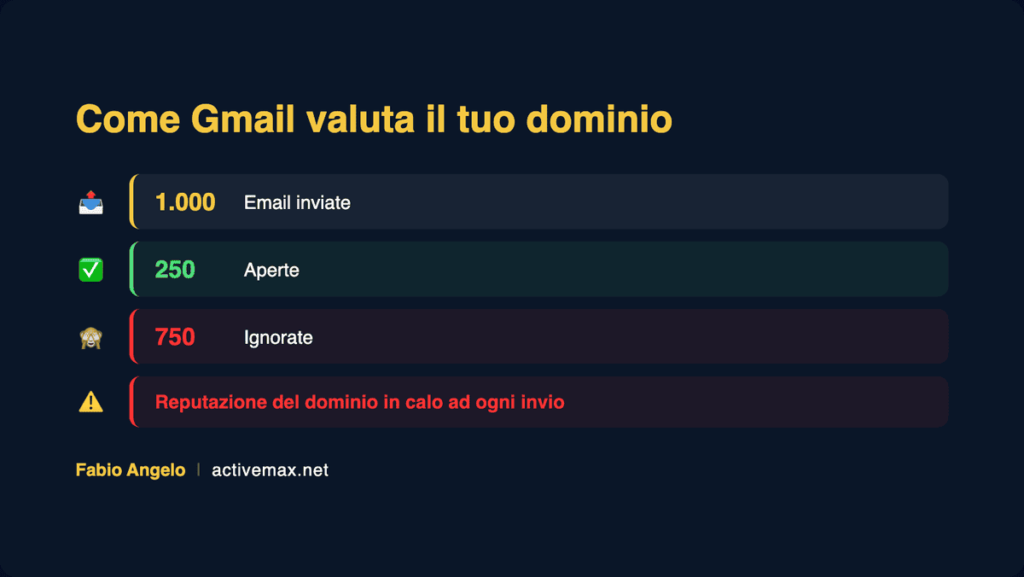
If you've been sending newsletters to the same people for three months and they've never opened your emails, it's time to get rid of them, or at least stop sending them emails.
3. Reduce the risk related to privacy and GDPR
You are responsible for all the data you store. If one day you were to suffer a hacker attack and your database were breached, the law requires you to notify your contacts.
Imagine you've had thousands of useless contacts for years, contacts who have never bought from you, who don't open your emails, who cost you money. And then you still have to send them a message to inform them of a data breach. The more contacts you keep, the more likely it is that one day they will cause you legal trouble.
When NOT to delete contacts
There are situations where deleting contacts is the wrong choice. Here they are.
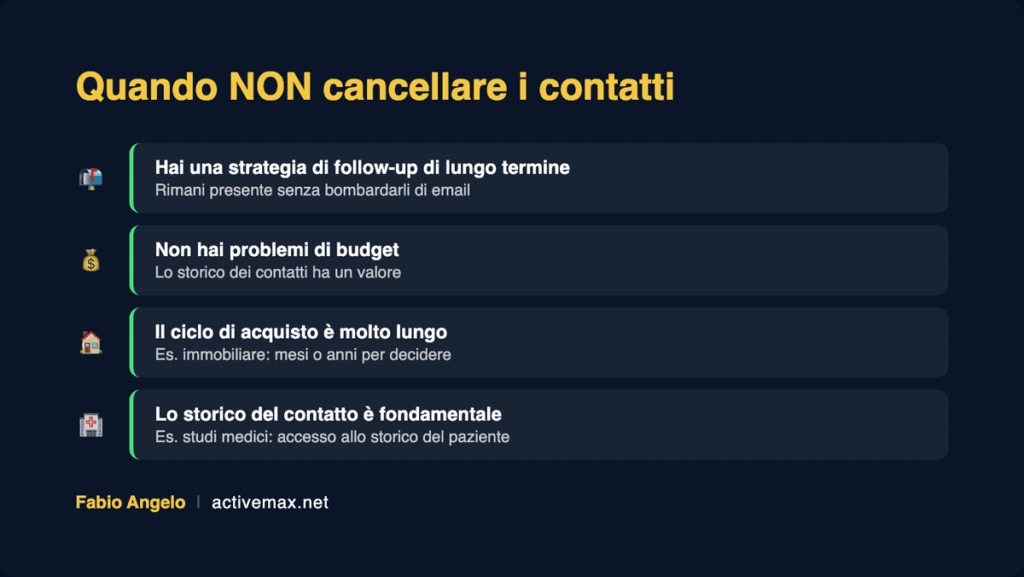
The first is when you have a solid long-term follow-up strategy, which allows you to stay in touch with your leads without bombarding them with emails they don't open. If you don't know how to build one, book your free call with me now., click here.
The second is when you have no budget problems. If the contacts you've gathered are legitimate, keeping a history of their journey with you has value. In this case, keep in mind that you can save up to 36% on your ActiveCampaign account by transferring it to an authorized reseller, like us at ActiveMax. You can find everything explained by clicking here:
Transfer Your ActiveCampaign Account to an Authorized Reseller
The third is when your contacts' buying cycle is very long. If you have a real estate agency, a client can spend months or years deciding whether to sell their home. But even in this case, you need the right strategy to stay top of mind.
The fourth is when your contact history is operationally fundamental. If you run a medical practice, for example, months or years can pass between appointments, and having access to the patient's history is essential. If you also want to reduce the time between appointments and increase the value for each patient, book your free call with me now, click here.
Archive or delete? The differences in ActiveCampaign
To date, archiving remains the best option over permanent deletion, but with a significant limitation: it is not yet automatable. You will therefore have to do it manually and regularly.
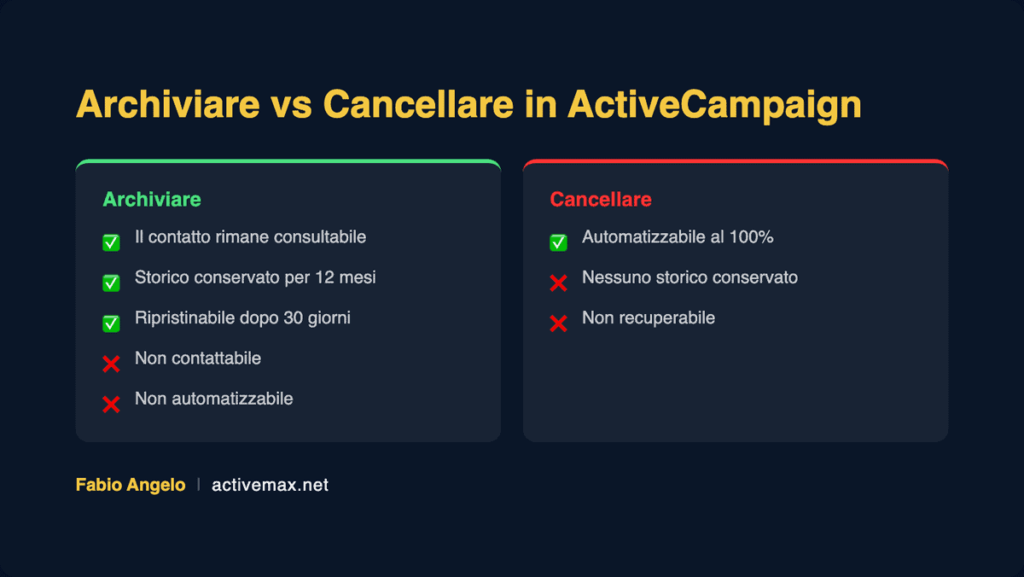
The main difference is this: a deleted contact disappears completely from your account. An archived contact remains searchable, but you cannot contact them in any way.
As reported by the official ActiveCampaign guide [EXTERNAL LINK rel=”nofollow” – anchor text: “official ActiveCampaign guide on contact archiving”], archived contacts are kept in read-only mode. You cannot send them marketing emails, WhatsApp messages, or SMS, nor can you edit them. You must wait at least 30 days after archiving before you can restore a contact manually. Archiving retains all historical data such as email opens, clicks, purchases, and tags for one year, after which the contact is automatically deleted.
If you want to understand what the right choice for your specific situation is, book your free call with me now, click here.
How to decide when to delete a contact: a practical example
Based on the length of your contacts' purchase process, define a timeframe within which, if a contact does not open your emails or has a declared lost associated offer, they should be deleted.
One of my clients sells training courses, and interest in them fluctuates significantly over time. A good partnership with a group of influencers generates a lot of interest in a short period, while during slower periods, filling webinars becomes more difficult.
Since these are impulse purchases, maintaining active contact for more than 90 days doesn't make sense. We have therefore implemented an automation that adds to a dedicated list any contacts who haven't purchased anything and haven't opened any emails in the last 90 days.
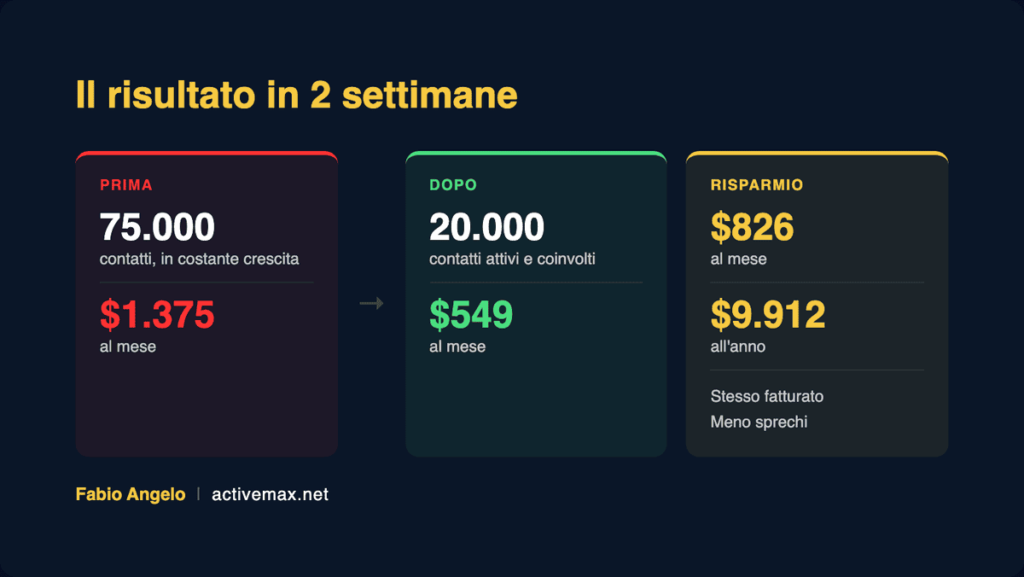
The result: in two weeks, we went from an account with 75,000 contacts, which was constantly growing and costing $1,375 per month, to a stable database of approximately 20,000 active and genuinely interested contacts, with a monthly cost of $549. The same business, the same acquisition activity, but with over $800 in monthly savings and significantly higher contact quality.
The farewell sequence: how to structure a farewell sequence
The farewell sequence is an automated email sequence that starts when a contact exceeds the inactivity threshold you've defined. Its purpose is not to convince them to buy, but to give them a final concrete opportunity before being removed from the database.
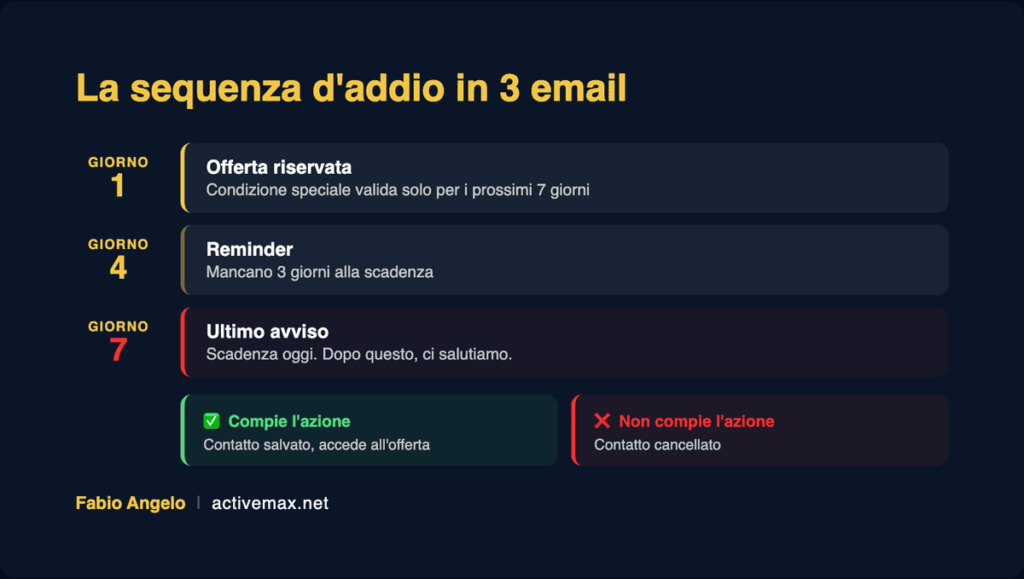
In our sequence, we emphasize that it's been three months since the contact opened our email, which is a shame given the initial enthusiasm shown, and that the time has come to book a call with our agents to take advantage of an offer reserved for past contacts.
If the contact does not book the call, after 14 days they will be added to a dedicated list and deleted.
Note bene: opening an email from the farewell sequence does not reset the counter. Once the farewell sequence has started, the only way for the contact to avoid deletion is to book a call or make a purchase.
If you want to know how to structure an effective farewell sequence in detail, book your free call with me now., click here.
How to automate contact deletion in ActiveCampaign
Now that you've defined the conditions a contact must meet before being deleted, all that's left is to create the automation.
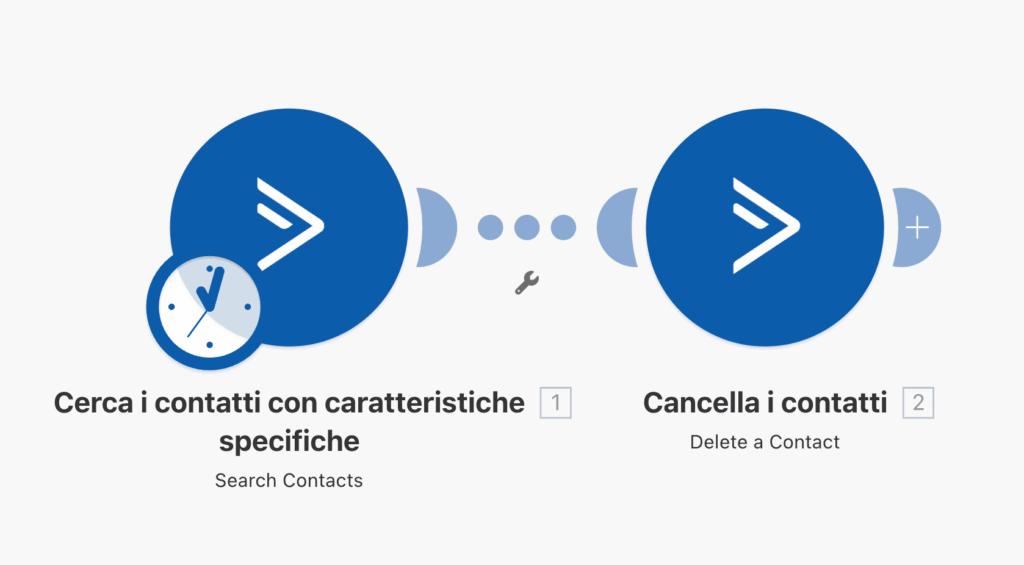
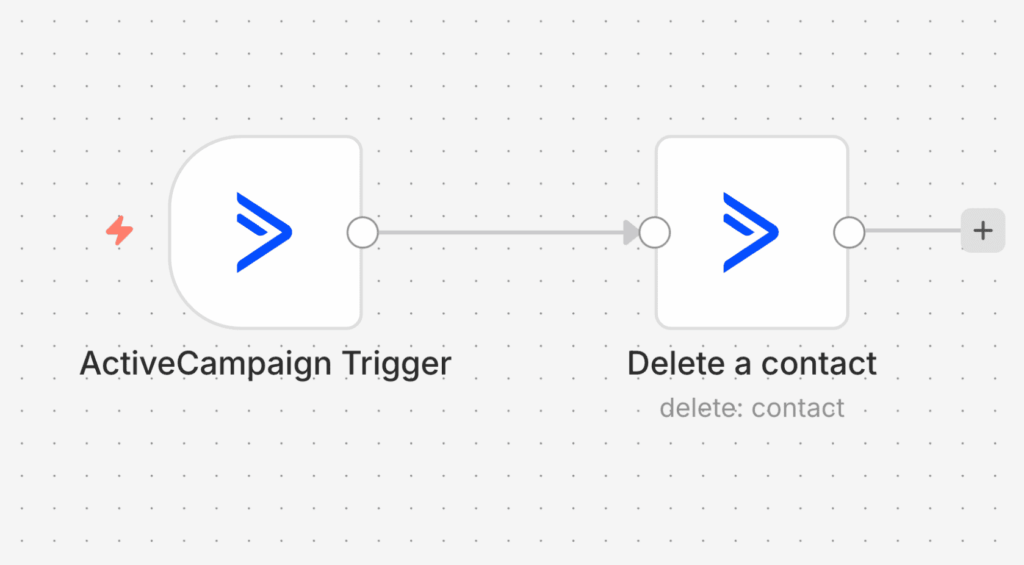
To keep your automation up-to-date, you'll need to add all your existing contacts and have them wait until they reflect the condition of not having opened any emails in the last 90 days. You'll also need to add a trigger that automatically adds all future contacts to the automation.
For all the details, I invite you to watch the video tutorial you can find at the beginning of this article.
Conclusion: Archiving remains the best option, but a strategy is needed
To recap: deleting cold contacts allows you to reduce costs, improve deliverability, and reduce legal risks. Archiving is often preferable but requires a manual process.
If you want to automate archiving as well, or simply understand how to structure a contact management strategy suitable for your business, book your free call with me now, click here. I will present the solution we developed and we will understand together which approach is most suitable for your case.
Book a free call with me
I can help you directly if you find yourself in one of these situations:
– You don't know if it makes more sense to delete or archive your cold contacts
Do you want to build a long-term follow-up strategy without increasing costs?
– You are considering transferring your ActiveCampaign account to a reseller and saving up to 36%% per year
– You have a long buying cycle and don't know how to stay top-of-mind with your contacts
– Manage a medical practice or facility with recurring appointments and want to increase the value generated by each client
– Do you want to structure an effective farewell sequence
Do you want to automate contact storage without doing it manually every time
The first call is free. Book now by clicking here.
